Two lists. Clear choices.
Manage watched and ignored apps side by side, with app icons and aligned controls. Changes take effect only when you save.
Open-source macOS menu bar app
FlowSound fades and pauses Apple Music or Spotify when other apps play audio, then restores it when things become quiet again. Netease Cloud Music is available as an experimental adapter.
Independently distributed, without Apple notarization. First launch requires manual approval in System Settings → Privacy & Security.
Built for macOS 15+. Official Apple Music and Spotify support. Experimental Netease Cloud Music. Local-first, no analytics.

Audio focus for your music app
Two soundtracks compete until you pause one by hand.
Music steps aside, then returns from the same paused position.
Avoid overlapping audio. Avoid sudden silence. Stay in flow.
New in 0.18.0
Native controls, considered spacing, and a simpler way to decide which apps can interrupt your music.
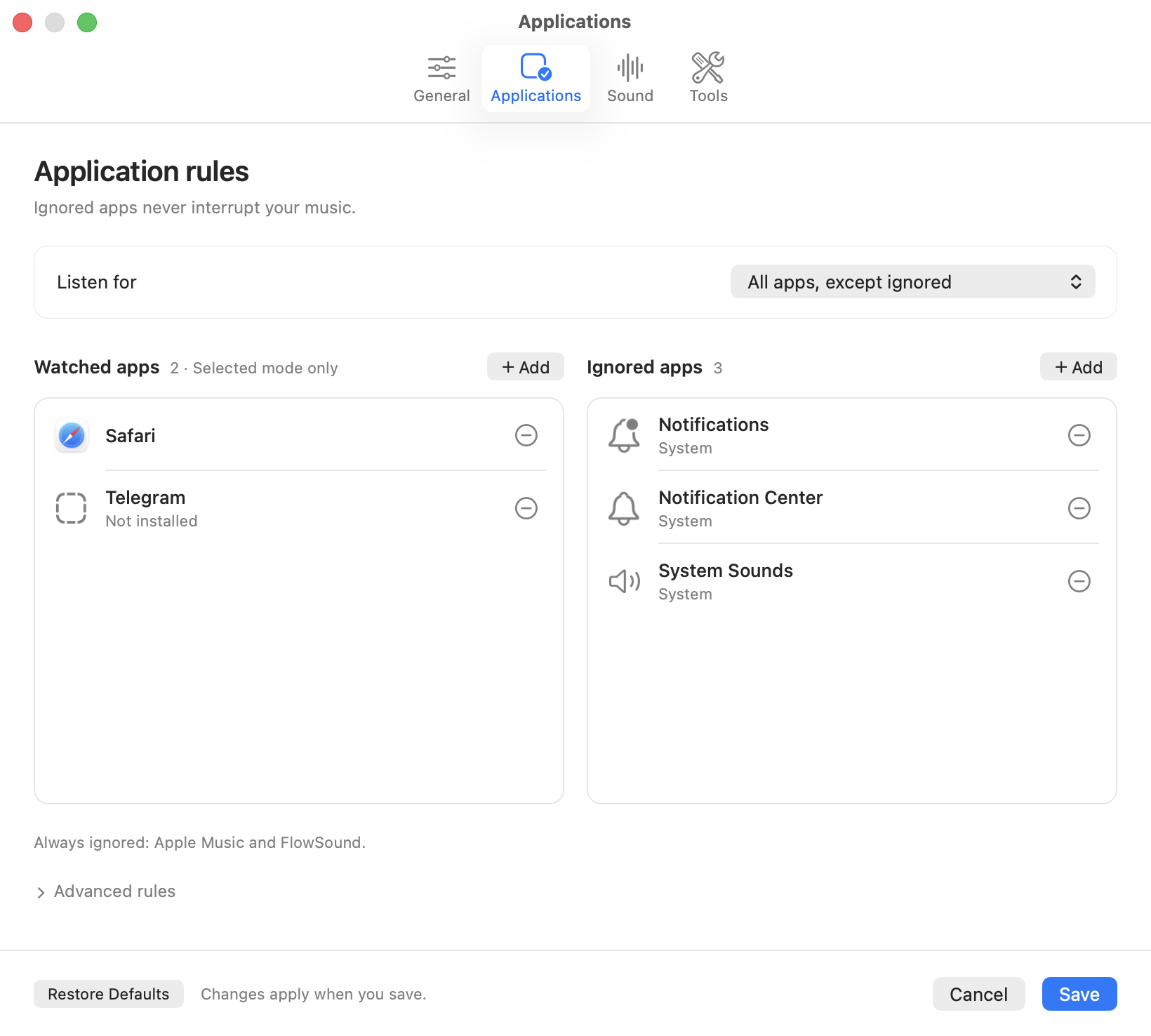
Manage watched and ignored apps side by side, with app icons and aligned controls. Changes take effect only when you save.
Adjust fades and quiet time with familiar sliders, or enter an exact value in the dedicated Sound pane.
See monitoring and permission status in Diagnostics. Recovery handles audio-device changes and sleep/wake, while playback controls respect observable manual changes.
Demo
The menu bar app listens for app audio activity, fades your selected music app out, pauses it, then restores the previous volume.
Trust
Lives in the menu bar. Turn it on or off anytime.
No recording, no uploads, no analytics, no server.
Built in Swift with Core Audio and local music app automation.
FAQ
No. FlowSound only computes local audio activity levels.
No. FlowSound has no analytics, no server, and no upload feature.
Yes. FlowSound supports Apple Music and Spotify through local AppleScript.
Apple Music and Spotify are official. Netease Cloud Music is experimental and uses menu commands plus Core Audio output feedback, so it may break if the app menu changes.
Yes. FlowSound supports English and Simplified Chinese, with automatic language selection and a manual preference.
0.18.0 is the current release for both Apple Silicon and Intel Macs. Download the ZIP, move FlowSound to Applications, and follow the installation guide for first-launch approval.
FlowSound targets macOS 15 and later. A user reported that 0.17.0 runs on macOS 26; 0.18.0 has been built and its native interface reviewed on macOS 26. Building with the macOS 27 SDK does not establish macOS 27 runtime compatibility, which still needs testing.
FlowSound is independently distributed with an ad-hoc signature and no Apple notarization. After verifying the download and trying to open it, use System Settings → Privacy & Security → Open Anyway, then confirm Open. The installation guide includes the full steps.